

How do I troubleshoot a drone lithium battery that won't charge?
Aug 20, 2025
Hey there, fellow drone enthusiasts! As a supplier of Drone Lithium Batteries, I've seen my fair share of issues with these power sources. One of the most common problems I get asked about is when a drone lithium battery won't charge. It can be super frustrating, especially when you're all set to take your drone out for a spin. But don't worry, I'm here to walk you through some troubleshooting steps to get your battery up and running again.
Check the Basics First
The first thing you should do when you encounter a non - charging drone lithium battery is to check the basics. Start by making sure the charger is properly plugged into a working power outlet. Sounds simple, but you'd be surprised how often this is the root of the problem. Sometimes, the plug might not be fully inserted, or there could be an issue with the outlet itself. Try plugging something else into the same outlet to see if it works.
Next, take a close look at the charger and the battery connectors. Over time, these connectors can get dirty or corroded, which can prevent a proper electrical connection. If you notice any dirt or debris on the connectors, you can use a dry, clean cloth to gently wipe them down. For more stubborn grime, you can use a small amount of isopropyl alcohol on the cloth, but make sure it's completely dry before reconnecting.
Examine the Battery for Physical Damage
Physical damage to the battery can also cause charging issues. Look for any signs of swelling, punctures, or cracks on the battery casing. A swollen battery is a serious issue and should not be used. It could be a sign of internal damage or overheating, and attempting to charge it could be dangerous. If you notice any swelling, it's best to dispose of the battery properly.
Punctures or cracks in the battery can also lead to problems. Even a small crack can allow moisture or air to enter the battery, which can damage the internal components. If you find any physical damage on the battery, it's likely time to replace it. As a Drone Lithium Battery supplier, I always recommend using high - quality batteries to minimize the risk of physical damage. You can also check out our Long Life Lithium Battery options, which are designed to be more durable.
Check the Charger Compatibility
Another important factor to consider is charger compatibility. Using the wrong charger can not only prevent the battery from charging but can also damage the battery. Make sure you're using the charger that came with your drone or a charger that is specifically designed for your battery model.
Some chargers are adjustable and can be set to different voltage and current levels. If your charger has these settings, double - check that they are set correctly for your battery. Incorrect settings can cause the charger to malfunction or not charge the battery properly.

Try a Different Charger
If you've checked all the above and the battery still won't charge, it might be an issue with the charger itself. Try using a different charger that is compatible with your battery. If the battery charges with the new charger, then you know the original charger is the problem. In this case, you'll need to replace the charger.
Check the Battery Management System (BMS)
Most drone lithium batteries have a Battery Management System (BMS). The BMS is responsible for protecting the battery from overcharging, over - discharging, and short - circuits. Sometimes, the BMS can malfunction, which can prevent the battery from charging.
Some chargers have a feature that can reset the BMS. If your charger has this option, follow the manufacturer's instructions to reset the BMS. If that doesn't work, it's possible that the BMS is damaged and the battery may need to be replaced.
Temperature Considerations
Temperature can also affect the charging process of a lithium battery. Lithium batteries don't like extreme temperatures. If the battery is too cold, the charging process can slow down or stop altogether. On the other hand, if the battery is too hot, it can be dangerous to charge it.
Try to charge your battery in a temperature - controlled environment. The ideal temperature range for charging a lithium battery is usually between 5°C and 45°C (41°F and 113°F). If the battery has been exposed to extreme temperatures, let it come to room temperature before attempting to charge it.
Check for Software Updates
In some cases, the issue could be related to the drone's software. Manufacturers often release software updates that can improve battery performance and charging. Check the manufacturer's website for any available software updates for your drone. Installing these updates might solve the charging problem.
When All Else Fails
If you've tried all the above steps and your drone lithium battery still won't charge, it's time to consider getting a new battery. As a supplier, I understand that buying a new battery can be an expense, but it's important for the safety and performance of your drone.
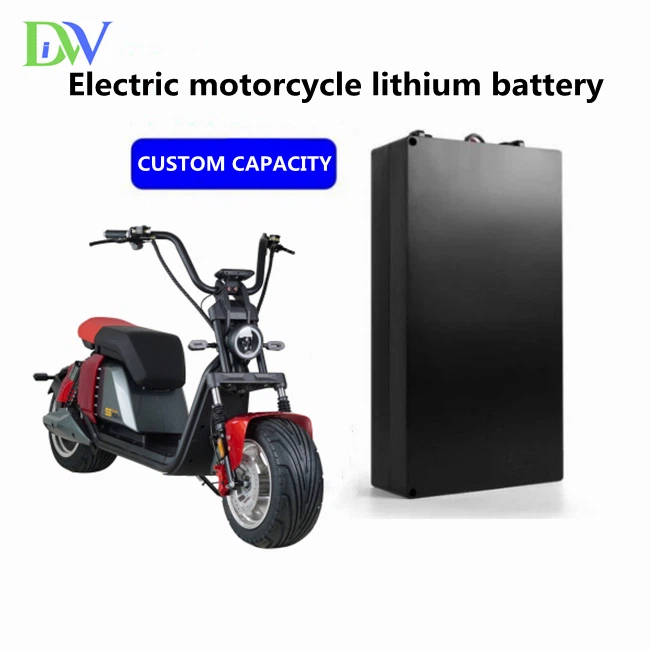
We offer a wide range of high - quality Drone Lithium Batteries that are designed to provide reliable power for your drones. We also have other great battery options like Electric Motorcycle Lithium Battery and 24v 12ah Lifepo4 Battery for different applications.
If you're interested in purchasing a new battery or have any questions about our products, feel free to reach out to us. We're always happy to help you find the right battery for your needs. Whether you're a professional drone pilot or just a hobbyist, we've got you covered.
References
- Battery University: A comprehensive resource for battery knowledge.
- Drone manufacturer's user manuals for specific battery and charging guidelines.